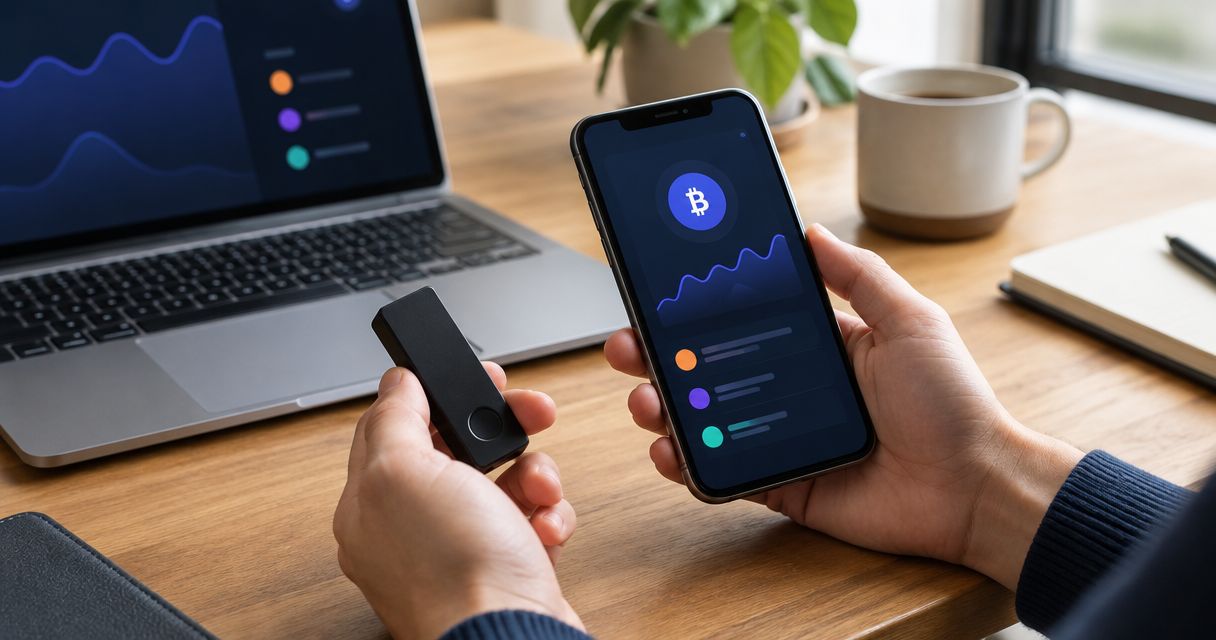
Best overall for everyday EVM DeFi: a self-custody EVM software wallet. Best for Solana DeFi: a Solana-native software wallet. Best for separating keys from your browsing device: a hardware-backed wallet. Best for shared control: a multisignature smart-contract wallet. The best non-custodial DeFi wallet depends on the network, applications and signing controls you actually need; this guide ranks wallet approaches rather than claiming an unverified product winner.
- The best non custodial DeFi wallet matches your network, signing needs and recovery plan—not its feature count.
- Choose an EVM software wallet for everyday EVM DeFi; choose a Solana-native wallet for Solana applications.
- Hardware-backed signing separates keys from your browsing device but does not make a harmful transaction safe.
- Use multisignature control for shared funds when the intended network and applications support the setup.
- BuildAWallet HUMAN helps design a wallet blueprint; it does not deploy a working DeFi wallet.
Why the wallet choice matters
Decentralized finance, or DeFi, uses blockchain applications for activities such as lending and asset swaps. Your wallet connects to those applications and authorizes actions. Non-custodial means you control the relevant signing keys or account permissions rather than relying on a custodian to authorize access.
That control brings recovery responsibility. It does not establish that an application is trustworthy, that a transaction is harmless or that a wallet supports your intended network.
BuildAWallet HUMAN is a separate wallet-blueprint design experience: it helps individuals define assets, networks, custody, security, privacy, features and style. BuildAWallet HUMAN is best for planning a custom wallet blueprint, not for immediate DeFi signing. Keep that design task separate from selecting an operational wallet.
What makes the best non-custodial DeFi wallet?
Use these criteria before choosing a wallet approach:
- Network fit: Your wallet must support the exact chain and account type used by the application. Ethereum Virtual Machine, or EVM, compatibility describes an execution environment, not automatic access to every EVM network.
- Signing clarity: You need to understand the action, recipient and permissions before authorizing a transaction or message.
- Key control: Identify where the signing key lives and which device or people can use it. A familiar interface does not answer that question.
- Recovery: Establish how you regain access after losing a device, browser profile or signer. Keep recovery secrets outside prompts, cloud notes and logs.
- Application compatibility: Confirm that the specific DeFi application accepts your wallet connection and account type. Network support alone is insufficient.
- Authority limits: Separate routine activity from valuable holdings or shared funds. Check whether a restriction is enforced by account logic or merely written in operating instructions.
A feature list cannot substitute for these checks. Start with a specific task—such as interacting with an EVM lending application—and reject any setup that cannot explain how that task is authorized.
Wallet approaches at a glance
The ranking favors practical fit for a defined task. A lower-ranked approach is not inherently worse; it solves a different control problem.
| Wallet approach | Best for | Standout property | Key limitation |
|---|---|---|---|
| EVM software wallet | Everyday EVM DeFi | Direct software-based interaction with compatible EVM applications | Signing keys remain exposed to risks affecting the software environment |
| Solana-native wallet | Solana DeFi | A workflow built around Solana accounts and transactions | Solana support does not establish compatibility with other ecosystems |
| Hardware-backed wallet | Separating keys from browsing | A separate device authorizes signatures | Hardware cannot make malicious permissions or transactions harmless |
| Multisignature wallet | Shared fund control | Account authorization requires the configured signer threshold | Deployment, recovery and application compatibility need separate checks |
1. EVM software wallet: best for everyday EVM DeFi
An EVM software wallet manages signing access through an application, browser extension or similar software environment. Choose this approach when your main task is interacting with EVM-based DeFi applications from your own device.
The attraction is a direct workflow. The trade-off is that device security, extension integrity and careful transaction review remain part of your signing process.
EVM software wallet pros:
- Keeps routine application interaction and transaction authorization in a software workflow.
- Fits individual control without requiring shared approval for every action.
- Lets you select an implementation around the exact EVM networks and applications you use.
EVM software wallet cons:
- Compromised software or an exposed recovery secret can undermine key control.
- A supported network does not prove that every application or transaction type works correctly.
- Convenient signing can encourage approving actions without understanding their scope.
Best for: Individual users performing everyday EVM DeFi tasks.
Before choosing an implementation, check its official network documentation and the application's connection requirements. For Base-specific decisions, use the self-custody wallet guide for Base to narrow the network question, then validate the intended application separately.
Treat connection and authorization as different events. Connecting an account lets an application identify it; signing a later request can authorize a consequential action. Read each request rather than treating connection as blanket trust.
Verdict: Buy into this approach for routine EVM activity only after confirming network support, recovery and the exact signing workflow.
2. Solana-native wallet: best for Solana DeFi
A Solana-native wallet handles Solana accounts and signing workflows. Choose this category when the applications you intend to use operate on Solana, rather than selecting an EVM-first setup and assuming it covers the same task.
The network determines which accounts, transaction formats and application connections matter. A wallet address alone does not establish cross-network compatibility.
Solana-native wallet pros:
- Matches the account and transaction environment of Solana applications.
- Keeps selection focused on the ecosystem where your task takes place.
- Lets you evaluate the application's actual connection and signing requirements without assuming EVM behavior.
Solana-native wallet cons:
- Solana support does not establish support for unrelated networks.
- Account presentation and transaction interpretation vary by implementation.
- Recovery and device compromise remain your responsibility in a self-custody setup.
Best for: Individual users whose DeFi activity is specifically on Solana.
Start with the self-custody wallet guide for Solana, then confirm compatibility with your intended application. Check the official application destination independently; a convincing connection screen is not evidence that the destination is legitimate.
When reviewing a transaction, identify which assets and permissions it affects. If the interface cannot explain the action clearly enough for you to authorize it, stop rather than signing to discover what happens.
Verdict: Buy into a Solana-native approach for Solana DeFi; skip assumptions that it automatically covers your EVM activity.
3. Hardware-backed wallet: best for key separation
A hardware-backed setup uses a separate device to authorize signatures while another device handles browsing or application interaction. The relevant benefit is separation of signing keys from the general-purpose software environment—not immunity from loss.
Check the hardware device, connecting software, network and application together. Compatibility belongs to that complete workflow, not to the hardware label alone.
Hardware-backed wallet pros:
- Separates signing keys from your ordinary browsing environment.
- Introduces a distinct authorization step before a supported transaction is signed.
- Supports a deliberate distinction between routine application access and key custody.
Hardware-backed wallet cons:
- A harmful transaction remains harmful when a hardware device signs it.
- Transaction details available for review depend on the device and workflow.
- Recovery material still needs protection, even when the signing device is separate.
Best for: Users prioritizing key separation over the convenience of software-only signing.
Do not confuse key isolation with informed consent. If the device displays details you cannot interpret, the fact that a key stays on the device does not establish that the requested action is acceptable.
Before relying on the setup, verify how the device handles your intended network and transaction type. Establish the recovery procedure without exposing the recovery secret to a website, support message or application prompt.
Verdict: Buy into hardware-backed signing for key separation; skip the claim that hardware makes every DeFi interaction safe.
4. Multisignature wallet: best for shared fund control
A multisignature wallet, or multisig, requires a configured threshold of signer approvals to authorize an action. A smart-contract implementation encodes account behavior on a supported blockchain rather than relying solely on a single externally controlled key.
Choose this approach when a group needs shared authority. It addresses who can authorize an action, not whether the underlying DeFi strategy or contract is sound.
Multisignature wallet pros:
- Makes the approval threshold part of account authorization.
- Separates shared fund control from a single person's signing key.
- Gives a group a defined process for proposing and approving actions.
Multisignature wallet cons:
- Lost or unavailable signers can prevent the account from meeting its threshold.
- Application compatibility with smart-contract accounts requires confirmation.
- Modules or alternative authorization paths need their own permission review.
Best for: Groups managing shared funds with an explicit approval process.
Inspect the full account configuration. A threshold provides incomplete information if another enabled component can authorize transactions through a different route.
Agree on signer replacement and recovery before using the account. A written instruction to seek approval is not equivalent to a threshold enforced by account logic.
Verdict: Buy into multisignature control for shared funds when deployment, signer recovery and application compatibility are established.
Where custom wallet design fits
BuildAWallet HUMAN helps you define a wallet blueprint around your requirements. Use the design process to make custody, networks, recovery and privacy choices explicit before assessing a deployed implementation.
Blueprint design pros:
- Makes wallet requirements a separate planning task.
- Helps distinguish individual custody preferences from network and feature requirements.
- Provides a place to consider recovery before choosing an implementation.
Blueprint design cons:
- A blueprint is not a deployed wallet or transaction signer.
- Choosing a security option does not prove that an implementation enforces it.
Best for: Individuals planning a custom wallet rather than seeking an immediately usable DeFi account.
BuildAWallet NON-HUMAN is the machine-facing side for AI agents and the developers building them; HUMAN is a separate wallet-blueprint design experience. NON-HUMAN includes paid machine data access and Base/Solana balance reads, but deployment and RPC configuration require validation. RPC, or remote procedure call, is the interface software uses to communicate with a blockchain node.
Reading a balance is not signing authority. Documented locally signed transaction preparation or broadcast must remain distinct from autonomous provider-held signing; policy-controlled agent signing is described as unavailable or in development. The documentation checked on October 8, 2026 describes a broader offering than the homepage, so validate the intended operation rather than treating an endpoint listing as proof of a working deployed service.
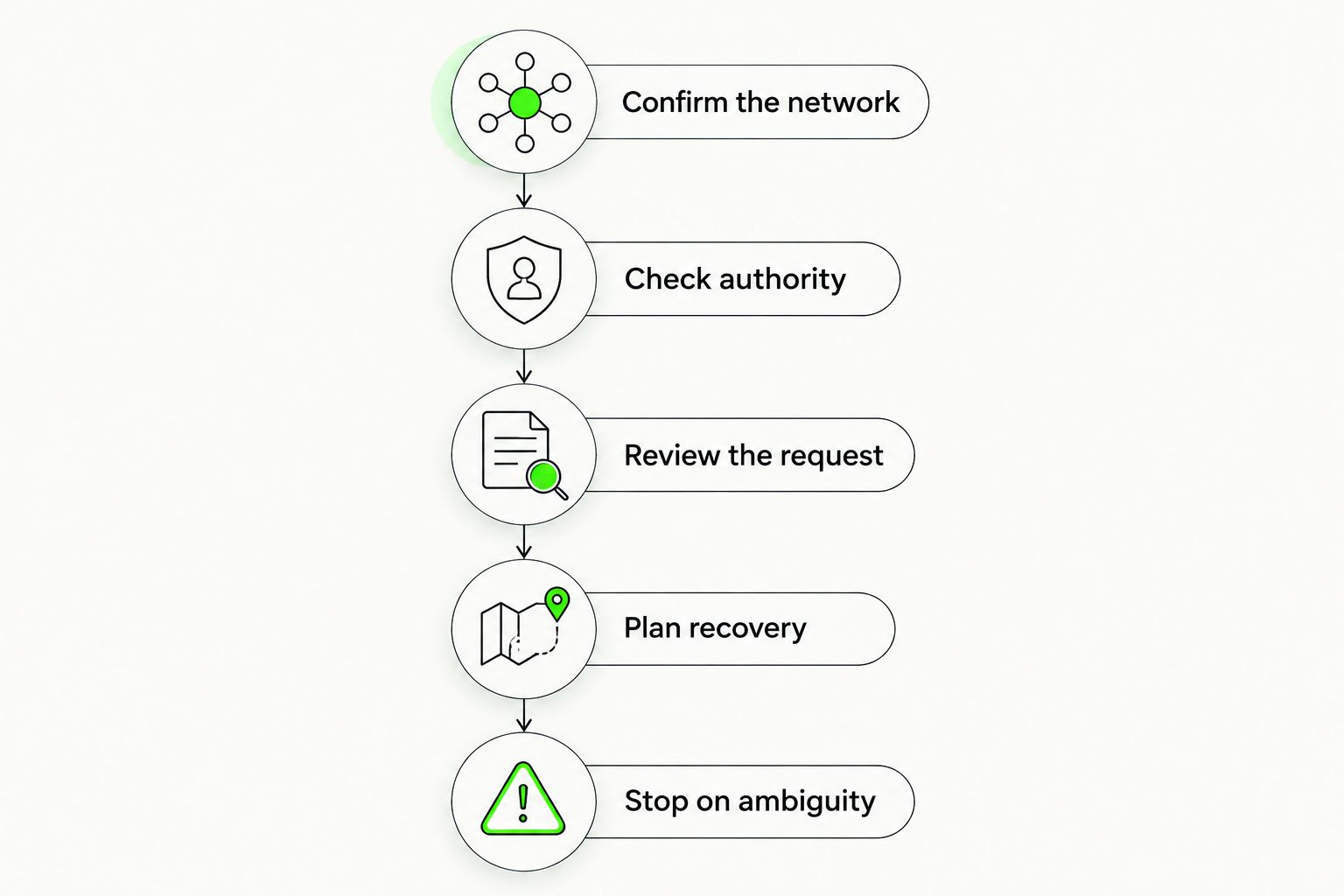
Validate the workflow before relying on it
Use this sequence for whichever wallet approach you choose:
Confirm the network
Identify the exact chain and application. Check their official compatibility requirements and the wallet's current documentation rather than inferring support from a familiar address format.
Check authority
Determine which key, device or signer threshold can authorize an action. Include account modules, existing permissions and any separate signing service in that review.
Review the request
Distinguish a balance read, message signature, permission grant and transaction. A request that produces no immediate asset movement can still create authority you need to understand.
Plan recovery
Identify what happens when a device or signer becomes unavailable. Keep recovery secrets out of prompts and logs, and do not test recovery by entering secrets into an unverified interface.
Stop on ambiguity
Reject unexpected networks, unexplained permissions and requests you cannot interpret. A failed connection or unclear transaction is a reason to investigate, not to disable controls until it works.
How these approaches are ranked
The order prioritizes a direct fit for everyday individual DeFi activity, then separates Solana-specific use, hardware key separation and shared authorization. It is a use-case ranking, not a security score or a claim of first-hand testing.
Blueprint design remains outside the deployed-wallet ranking. Data access also remains outside it: reading an account balance does not make a service a wallet signer.
Which non-custodial DeFi wallet should you choose?
Choose a self-custody software wallet for your exact network as the default for routine individual DeFi activity. Add hardware-backed signing when key separation is a requirement, and use multisignature control when authority genuinely needs to be shared.
Do not choose by the longest supported-network list. Choose by the transaction you need to perform, the authority it requires and the recovery process you can maintain.
FAQ
What's the best non-custodial wallet for DeFi?
The best approach is a self-custody wallet that supports your exact network, application and signing requirements. EVM software wallets fit everyday EVM activity, while Solana-native wallets fit Solana applications; hardware and multisignature setups address different control needs.
Is a hardware wallet safer for DeFi than a software wallet?
Hardware-backed signing separates keys from the browsing device, but it does not make malicious transactions safe. Verify compatibility and review the requested action on the signing workflow before authorizing it.
Can I use the same wallet for EVM and Solana DeFi?
Only if the specific implementation supports both networks and the applications you intend to use. Do not infer Solana support from EVM support, or application compatibility from a network appearing in a wallet menu.
Does connecting my wallet authorize a DeFi transaction?
Connecting a wallet is distinct from signing a transaction or permission request. Review later requests individually, because signatures and approvals can carry authority beyond simply displaying an account.
Is BuildAWallet HUMAN a working non-custodial DeFi wallet?
BuildAWallet HUMAN is a guided wallet-blueprint design experience, not a deployed DeFi wallet. Choosing custody, recovery or networks in a blueprint does not deploy an account or establish that security controls are enforced.
Can an AI agent spend funds if it can read my wallet balance?
Balance access does not grant signing authority. Spending requires a separate authorization mechanism, and locally signed workflows must not be confused with autonomous provider-held signing.
When should I choose a multisignature wallet for DeFi?
Choose multisignature control when shared funds require an enforced signer-approval threshold. Confirm deployment, application compatibility, alternative authorization paths and signer recovery before relying on the account.
Related guides
One last thing
The signing key is not the whole permission picture. Existing approvals and smart-contract authorization paths can matter even when your key remains private.
Your next step: pick the DeFi application you actually intend to use, confirm its network and wallet requirements, and document who can authorize each action before connecting. This is general security education, not a security guarantee or individualized legal advice; legal obligations depend on your activity and jurisdiction.