Best overall for long-term NFT storage: a hardware-backed wallet compatible with your collection’s network. Best for active minting: a dedicated software wallet. Best for Solana-focused collecting: a Solana-native wallet. The best self custody NFT wallet separates control of valuable holdings from routine app connections; this guide compares wallet configurations rather than an unsupported brand leaderboard.
- Choose a hardware-backed NFT wallet for long-term holdings, after checking network and signing compatibility.
- Use a dedicated software wallet for minting; keep valuable holdings in a separate account.
- Choose Solana-native or EVM-compatible wallets according to your collection’s actual network.
- BuildAWallet HUMAN helps design a wallet blueprint; it does not deploy a working NFT wallet.
Why your collecting workflow decides the wallet
Self-custody means you control the credentials that authorize transactions. It does not mean every transaction you approve is safe, or that the wallet can recover assets after you authorize a malicious transfer.
For NFT collectors, the key distinction is between holding assets and interacting with applications. An NFT, or non-fungible token, is a token with an individual identity; its network and token standard determine which wallet workflows can handle it.
BuildAWallet HUMAN is a wallet-blueprint design experience for planning custody, security, networks and features. It belongs in the design category, not a ranking of deployed wallets.
What makes the best self-custody NFT wallet?
Judge a wallet against the collection you own and the actions you actually take. A broad network list is not enough.
- Network compatibility: Confirm the exact blockchain, not just a familiar ecosystem name. An Ethereum-compatible address does not prove every network is configured or supported.
- NFT interaction: Distinguish viewing a collectible from transferring it, listing it or signing a marketplace request. Those are separate capabilities.
- Signing clarity: Look for transaction and message details you can interpret. A familiar application name is not a substitute for understanding the request.
- Key separation: Keep long-term holdings separate from accounts that frequently connect to unfamiliar applications. A different account under the same recovery secret does not isolate that secret.
- Recovery practicality: Understand how you restore access, what material restoration requires and which wallet environment can use it.
- Application compatibility: Check the intended marketplace and signing workflow before transferring valuable holdings into a new setup.
NFT wallet configurations at a glance
These options describe architectures, not interchangeable products. They can overlap: a network-specific wallet interface can also connect to a hardware signer. Select the configuration that addresses your main task, then verify its implementation.
| Wallet configuration | Best for | Standout characteristic | Key limitation |
|---|---|---|---|
| Hardware-backed NFT wallet | Long-term collection storage | Keeps signing keys on a separate device | Does not make an authorized malicious request safe |
| Dedicated software NFT wallet | Active minting and unfamiliar app interactions | Separates interaction assets from storage holdings | Software-held keys remain exposed to device compromise |
| Solana-native NFT wallet | Collectors whose workflow centers on Solana | Aligns wallet selection with Solana account and application requirements | Solana compatibility does not establish support for every NFT workflow |
| EVM-compatible NFT wallet | Collectors using Ethereum-compatible networks | Supports an Ethereum Virtual Machine account workflow | Similar addresses can obscure network differences |
1. Hardware-backed NFT wallet: best for long-term holdings
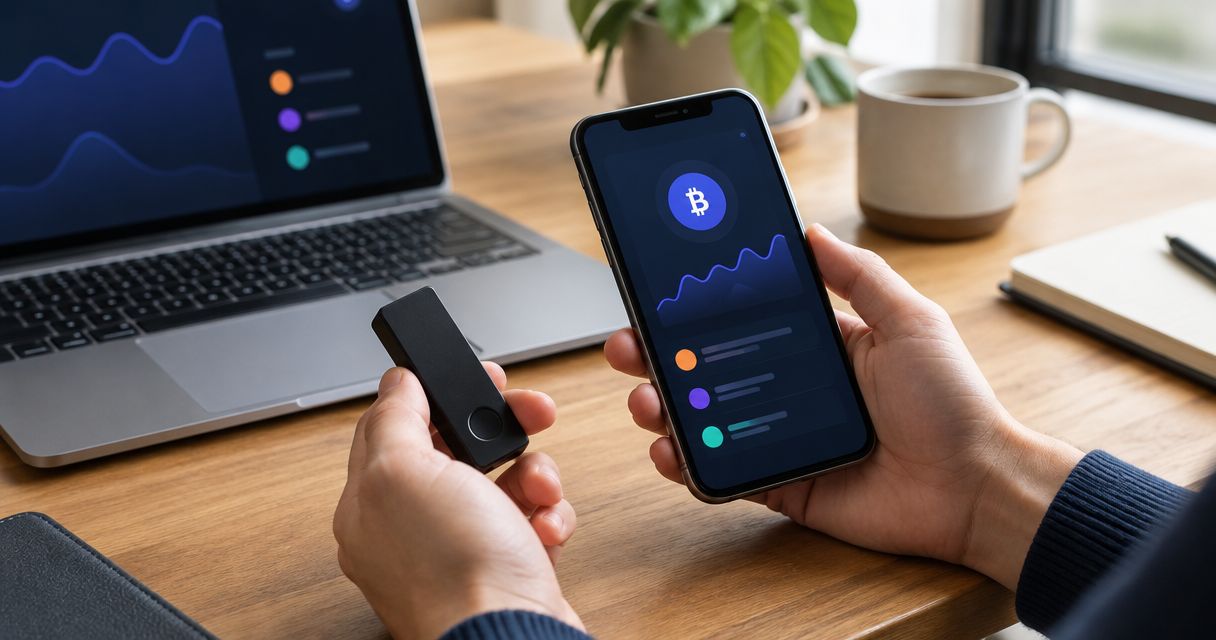
A hardware-backed wallet uses a separate device to hold signing keys and authorize supported operations. The wallet application provides the interface; the hardware signer handles the signing boundary. Your NFTs remain recorded on their blockchain, not stored inside the device.
Hardware-backed NFT wallet pros:
- Separates signing keys from the general-purpose computer or phone used to browse applications.
- Adds an explicit device interaction to supported signing workflows.
- Fits a storage account that rarely needs marketplace or minting access.
Hardware-backed NFT wallet cons:
- Supported networks, token operations and wallet interfaces require individual compatibility checks.
- Hardware does not prevent harm when you approve a malicious operation; unclear signing details remain a problem.
- Recovery material can defeat the device boundary if someone obtains it.
Before moving a collection, verify the entire path: network, wallet interface, hardware signer and required operation. Seeing an NFT in an application does not establish that the connected device can sign its transfer or a marketplace listing.
Best for: Collectors who prioritize retaining long-term holdings over frequent application interaction.
Verdict: Choose a hardware-backed NFT wallet for storage after verifying the exact signing workflow.
2. Dedicated software NFT wallet: best for active minting
A dedicated software wallet is an interaction account used for minting and other application activity. Its purpose is separation: you expose only the assets needed for the task instead of routinely connecting your main collection account.
For stronger key separation, use independent recovery material rather than merely another account derived from the storage wallet’s recovery secret. Application exposure and recovery-secret exposure are different risks.
Dedicated software NFT wallet pros:
- Limits the assets directly exposed in the interaction account.
- Keeps frequent application connections away from the storage account.
- Makes it easier to inspect an account’s activity without mixing in long-term holdings.
Dedicated software NFT wallet cons:
- Malicious approvals or signatures can still affect assets in the interaction account.
- Separate recovery material adds another backup and recovery responsibility.
- Moving assets between accounts introduces destination and network errors.
Treat the interaction wallet as a working account, not a place to accumulate the entire collection. Before using an unfamiliar application, inspect the requested operation and decide whether the account needs to hold anything beyond the assets required for that task.
Best for: Collectors who regularly mint or connect to applications they have not previously used.
Verdict: Choose a dedicated software NFT wallet for active interactions; keep long-term holdings elsewhere.
3. Solana-native NFT wallet: best for Solana-focused collecting
A Solana-native wallet is selected around Solana accounts, transactions and application compatibility. Start here when the collection and the intended application operate on Solana, rather than choosing an interface solely because it supports another familiar chain.
NFT display is only part of the requirement. Verify the specific transfer, listing or other interaction you need, including support for the collection’s actual asset format.
Solana-native NFT wallet pros:
- Keeps the selection process focused on the network where the collection exists.
- Lets you evaluate Solana application connections as the primary workflow.
- Avoids assuming that Ethereum-oriented signing behavior applies to Solana.
Solana-native NFT wallet cons:
- A Solana label does not prove support for every collection format or marketplace action.
- Support for other networks must be checked separately.
- A convenient display interface does not establish safe transaction interpretation.
Use your collection’s mint address, its on-chain identifier, when checking what you hold. A displayed name or image is not a reliable substitute for asset identity. The same principle applies when inspecting a proposed transfer.
Best for: Collectors whose holdings and regular applications are primarily on Solana.
Verdict: Choose a Solana-native NFT wallet only after checking the collection and intended operation.
4. EVM-compatible NFT wallet: best for Ethereum-network collecting
EVM means Ethereum Virtual Machine, the execution environment used by Ethereum and compatible networks. An EVM-compatible wallet is the relevant starting category when your collection uses one of those networks.
ERC-721 and ERC-1155 are Ethereum token standards commonly used for NFTs. Standard support is a useful screening criterion, but it does not prove that every application, contract interaction or hardware-signing path works.
EVM-compatible NFT wallet pros:
- Fits the account and signing model used by Ethereum-compatible applications.
- Provides a clear starting point for checking ERC-721 and ERC-1155 interactions.
- Supports a network-by-network evaluation of collections held across EVM environments.
EVM-compatible NFT wallet cons:
- A matching address does not mean assets are on the same blockchain.
- Contract approvals and signed messages require scrutiny beyond basic transfer support.
- Network configuration does not establish marketplace or hardware compatibility.
Before signing, identify the network, target contract and requested permission. On EVM networks, an approval can authorize a contract to transfer tokens; a signature can also have consequences without immediately producing an on-chain transaction.
Best for: Collectors who need Ethereum-compatible NFT interactions across explicitly verified networks.
Verdict: Choose an EVM-compatible NFT wallet when your collection requires it, with separate checks for every network.
Where wallet blueprint design fits
BuildAWallet HUMAN is best for individuals planning a custom wallet blueprint, not collectors seeking an already deployed NFT wallet. You can use the design exercise to define which networks matter, how custody should work and which features the eventual implementation needs.
The advantage is making requirements explicit before choosing an implementation. The limitation is equally important: selecting custody, recovery or a network in a blueprint does not deploy a wallet, protect existing assets or validate an NFT transfer workflow.
Keep the separate product mode distinct. BuildAWallet NON-HUMAN is the machine-facing side for AI agents and the developers building them; HUMAN is a separate wallet-blueprint design experience. Machine-facing Base and Solana balance reads are not evidence of NFT inventory support or signing authority.
Validate the wallet before transferring a collection
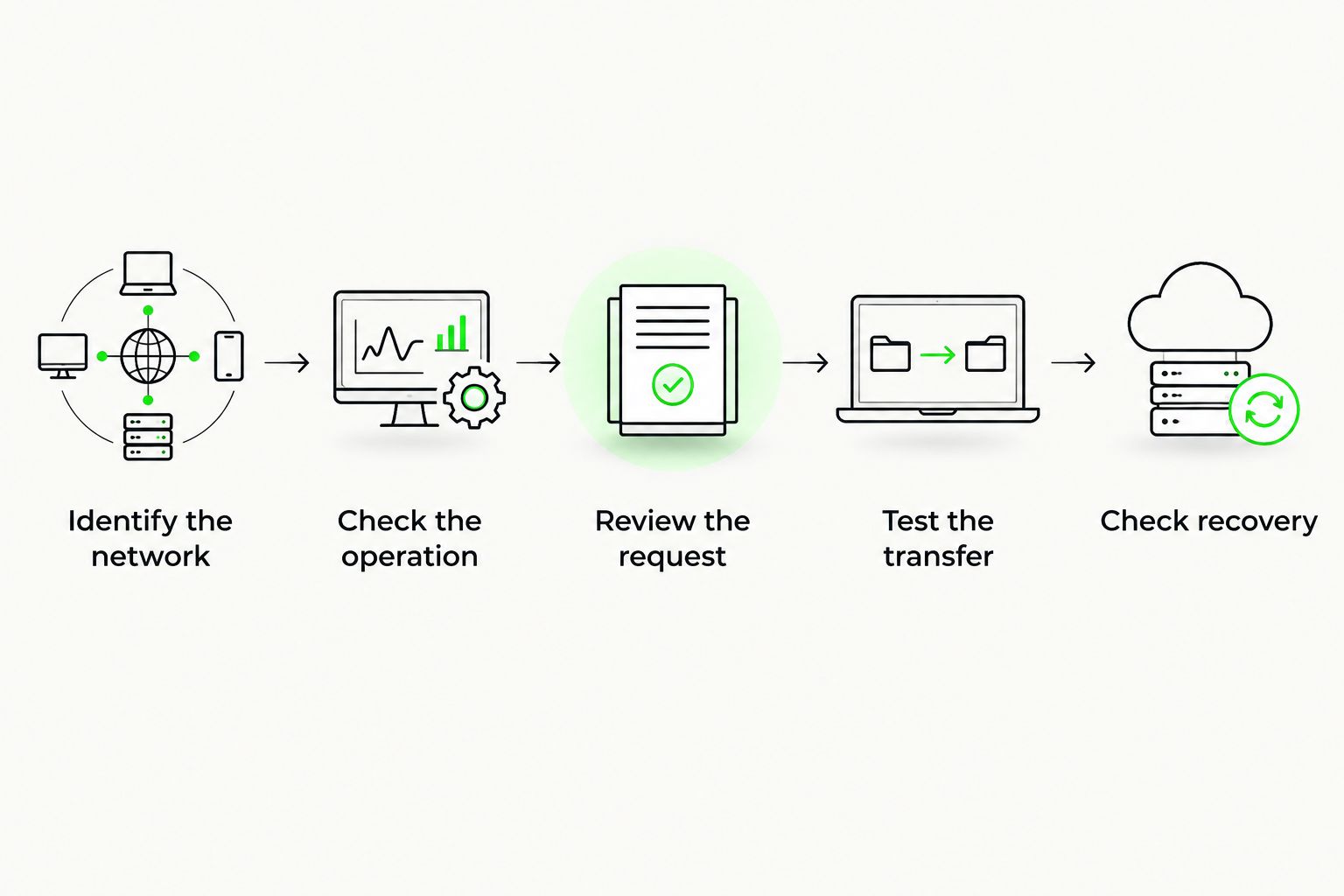
Work through this sequence with a low-value test asset appropriate to the network. A successful test supports that specific operation; it is not a security certification.
Identify the network
Record the blockchain and the collection’s contract or mint identifier. Confirm these independently of the wallet’s image gallery. If the asset does not appear, investigate the network and identifier before entering recovery material into another application.
Check the operation
Define the action you need: viewing, receiving, transferring, listing or minting. Verify that the wallet interface and any connected signer support that action. Do not infer transfer support from display support.
Review the request
Inspect the destination, contract interaction and permissions presented for authorization. If the wallet cannot show enough detail for you to understand the request, stop. A recognized website does not resolve an unreadable signature.
Test the transfer
Send a test asset through the intended workflow and confirm its receipt using an independent blockchain explorer. Check the destination account and network, not just a success notification in the sending application.
Check recovery
Follow the wallet’s official recovery guidance and understand the required backup before relying on the account. Never enter private keys or recovery secrets into chat prompts, support messages or logs. Avoid practicing recovery on an untrusted device.
How the ranking works
The order prioritizes long-term key separation, then frequent interaction, then network-specific requirements. It does not claim measured performance, first-hand testing or verified feature parity between named wallet products.
For a 2026 selection, consult current official wallet, signer and application documentation together. Product support changes; this architecture-level ranking tells you what to validate rather than substituting for that validation.
Which NFT wallet should you choose?
Default to hardware-backed storage for a valuable collection, with a separate software wallet for frequent application interaction. Choose the network-specific interface around the NFTs you actually own. Do not move assets merely because a wallet advertises more networks.
If your main problem is deciding custody, recovery and feature requirements, start with a blueprint. If your problem is making a transfer today, you need a deployed wallet and a verified signing path—not a design document.
FAQ
What’s the best self custody NFT wallet for long-term storage?
A hardware-backed wallet is the strongest default configuration for long-term storage when it supports your network and required signing operations. It separates signing keys from the browsing device, but approving a malicious request can still put assets at risk.
Should I use a separate wallet for minting NFTs?
Yes, use a dedicated interaction wallet to keep routine minting activity separate from long-term holdings. Independent recovery material separates key exposure; another account under the same recovery secret does not provide that boundary.
Does a hardware wallet store NFT images?
A hardware signer protects signing keys rather than storing the NFT itself. Token ownership is recorded on the blockchain, while images and other metadata can depend on separate storage arrangements.
Can I use an Ethereum NFT wallet for Solana NFTs?
Only if the specific wallet explicitly supports Solana and the required NFT operation. Ethereum compatibility alone does not establish Solana account, transfer or application support.
Why is my NFT missing from my wallet gallery?
A missing gallery entry does not by itself prove that the token is gone. Check the correct network and the collection’s contract or mint identifier through an independent blockchain explorer before attempting recovery or importing keys elsewhere.
Does connecting a wallet give an app permission to move my NFTs?
A connection is not the same as a transfer authorization, but subsequent approvals and signatures can grant consequential permissions. Inspect each request rather than treating the initial connection as the only security decision.
Is BuildAWallet HUMAN a ready-to-use NFT wallet?
No. BuildAWallet HUMAN is a guided wallet-blueprint design experience; choosing networks, custody or recovery does not deploy a working wallet or establish NFT signing compatibility.
Related guides
- Compare non-custodial crypto wallet configurations
- Self-custody wallet choices for Base
- Compare Web3 wallets by use case
- Self-custody wallet choices for Solana
Your next step
Write down your collection’s network, the operations you need and which account will hold long-term assets. Then validate a low-value transfer through the exact wallet-and-signer combination you intend to use. A wallet gallery proves display; it does not prove the signing path works.